One app for a house full of brands.
Lenou Core is a small box that an electrician installs in the house. It belongs to no brand, talks to just about everything already there, and makes it work together: cheaper, safer, and without a cloud of ours.
For a business with solar, a battery and cold stores there is Lenou Pro.
This is what the app looks like.
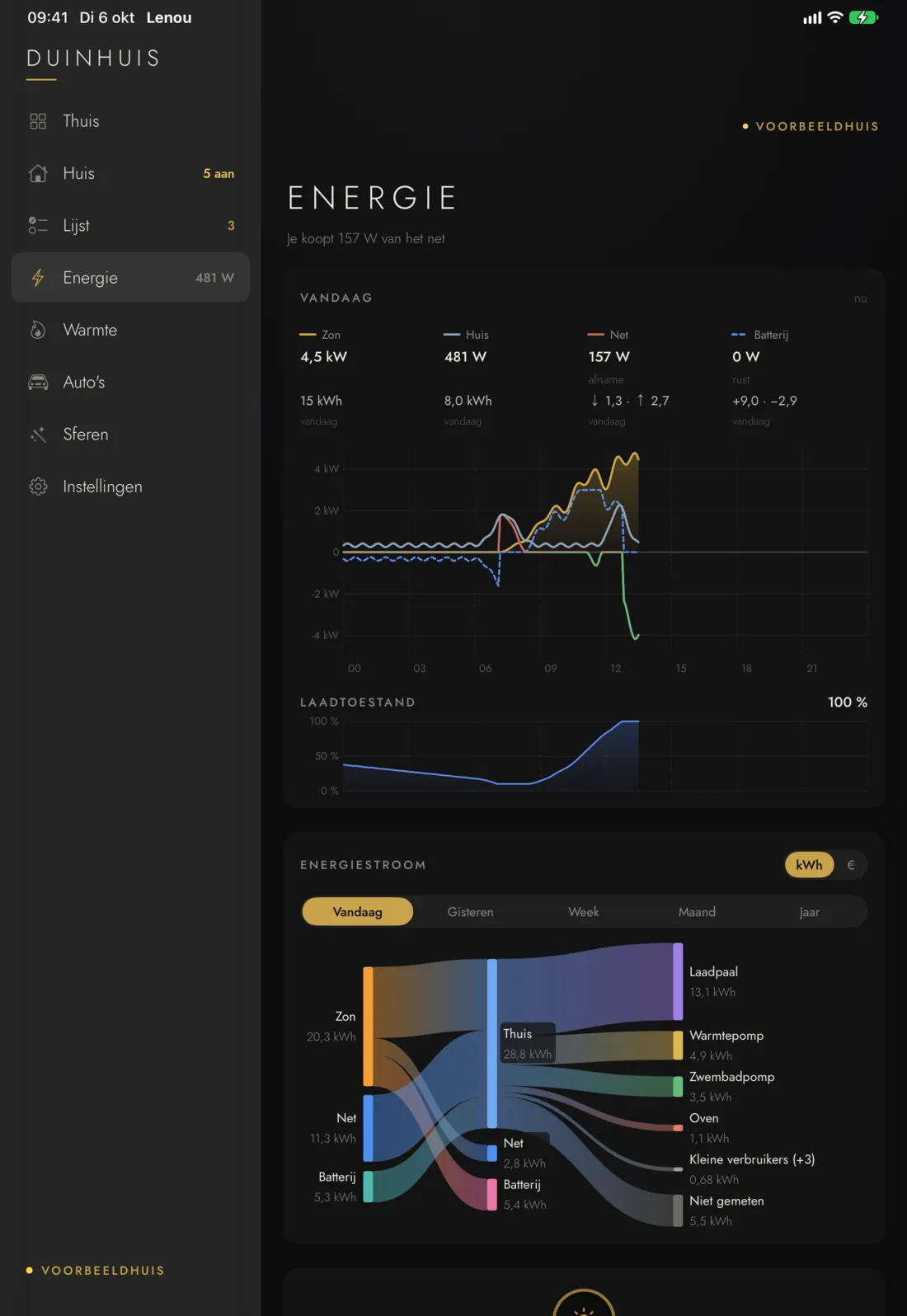
Real screens from our example house, not drawings: the app as it runs on an iPhone and an iPad. The app itself is in Dutch.
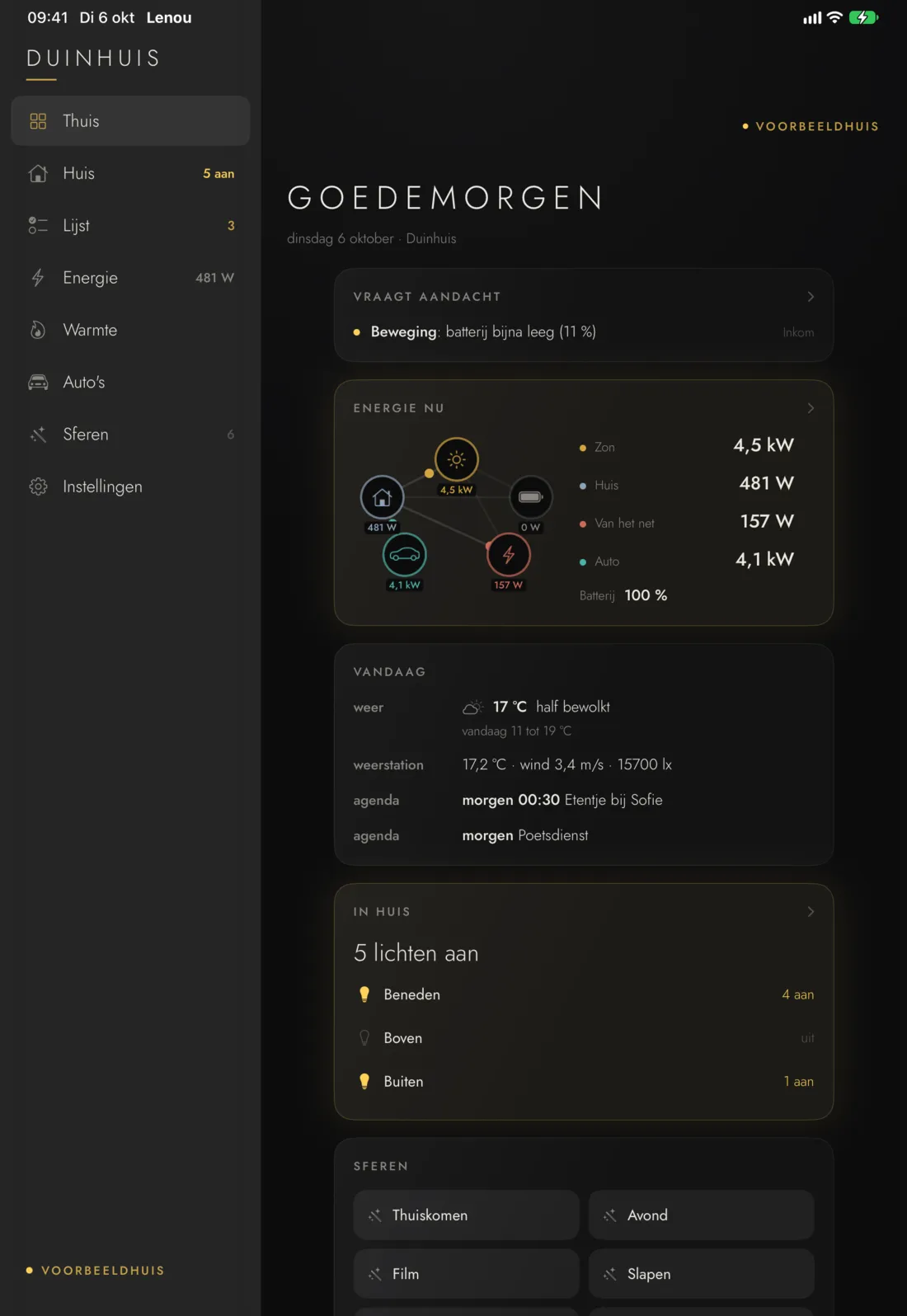
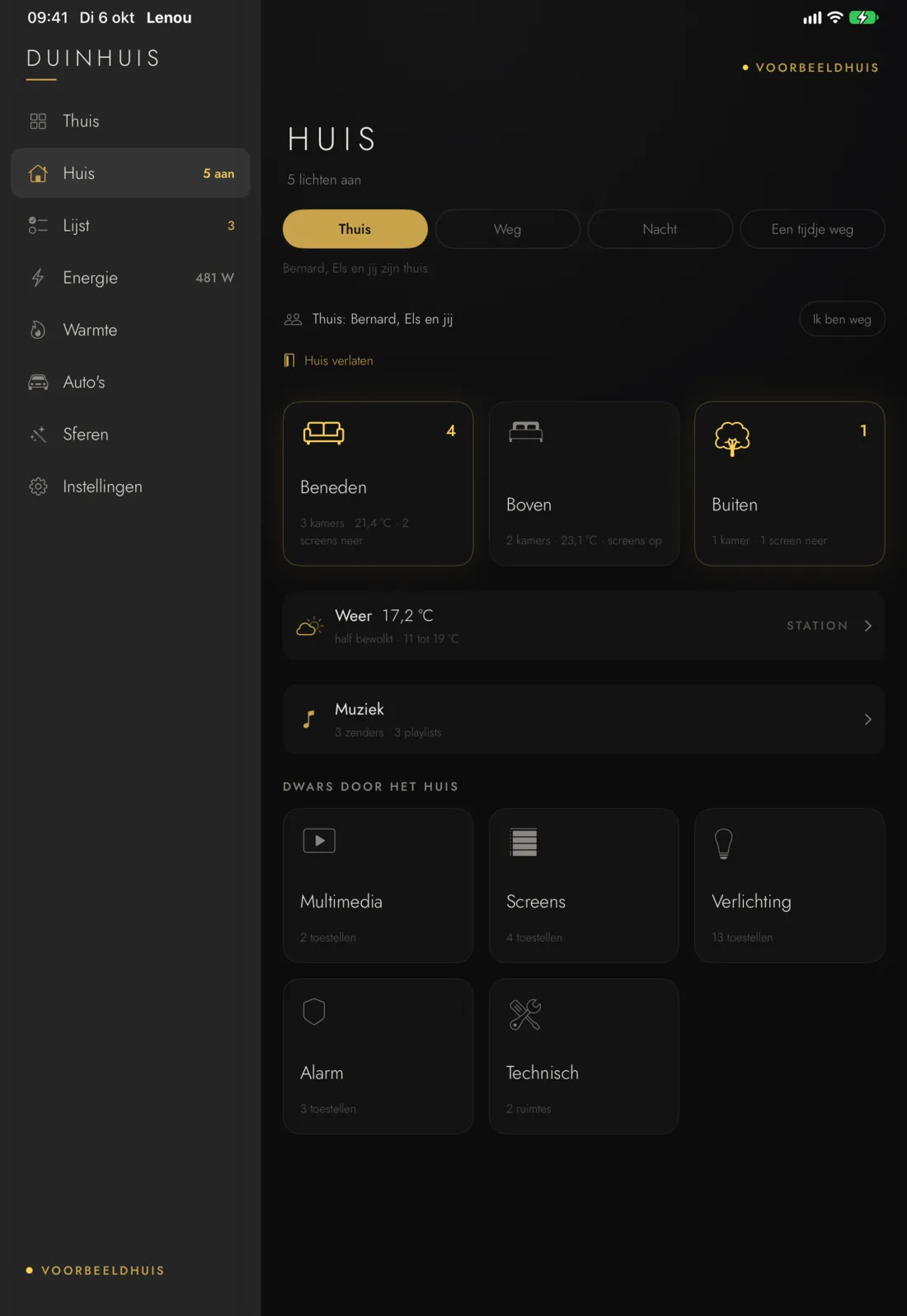
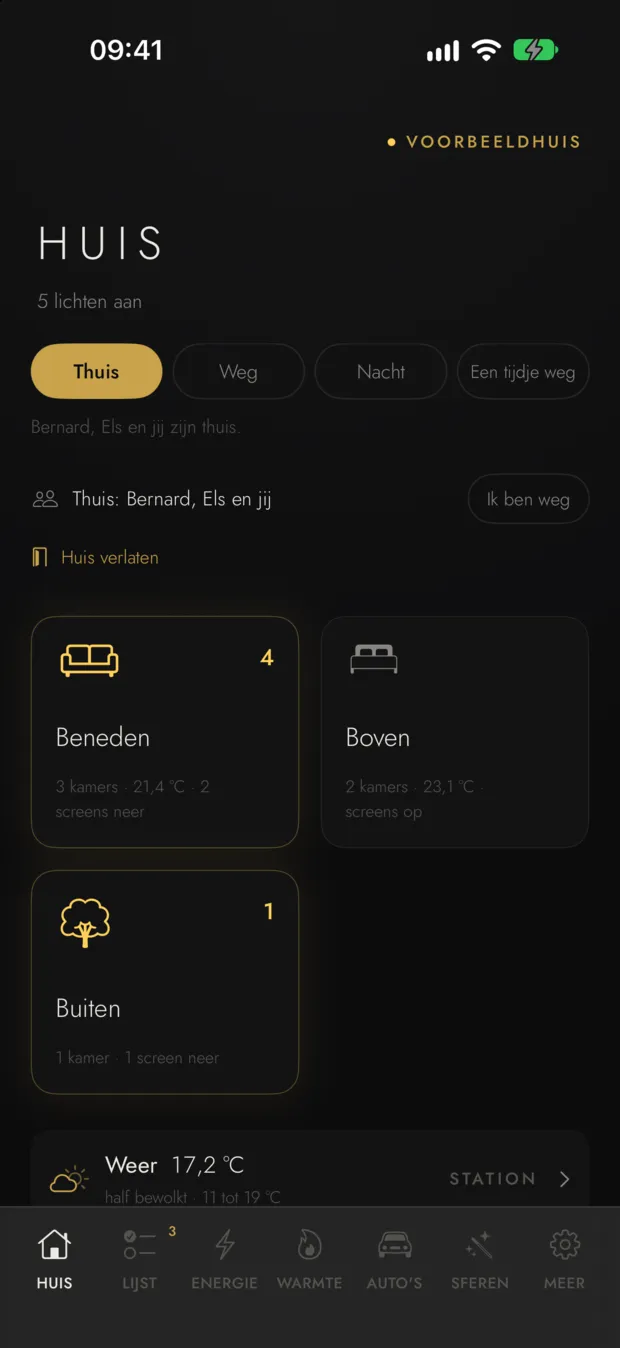
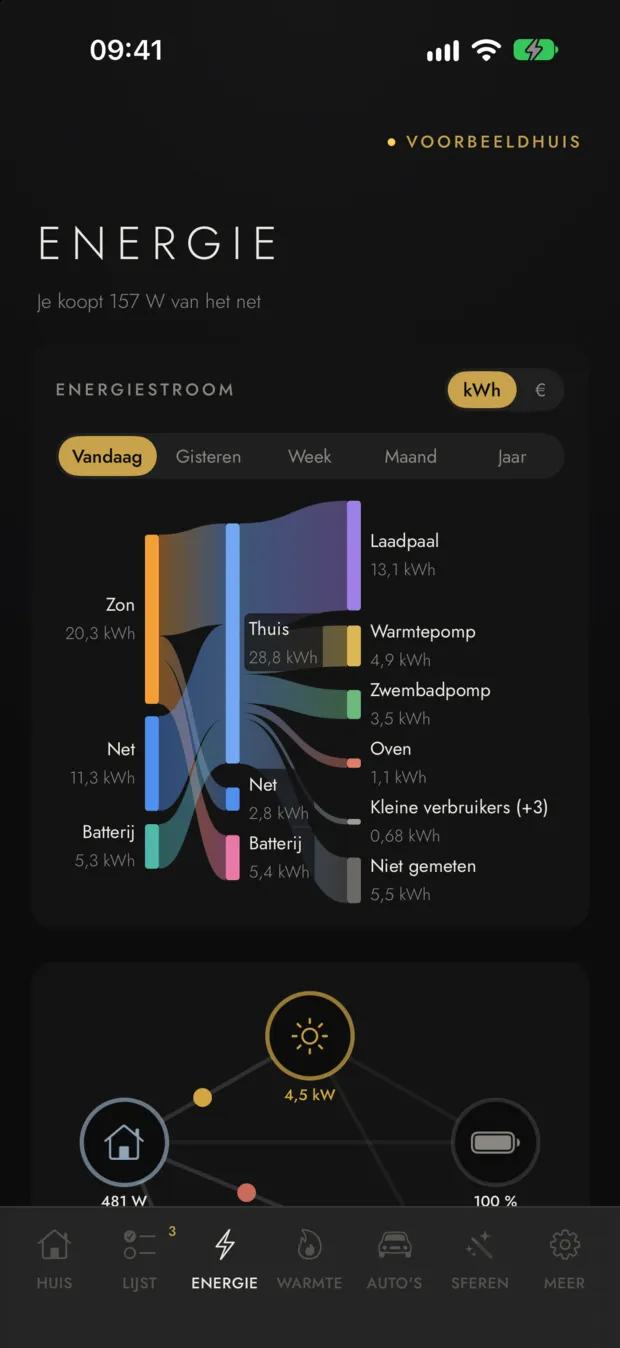
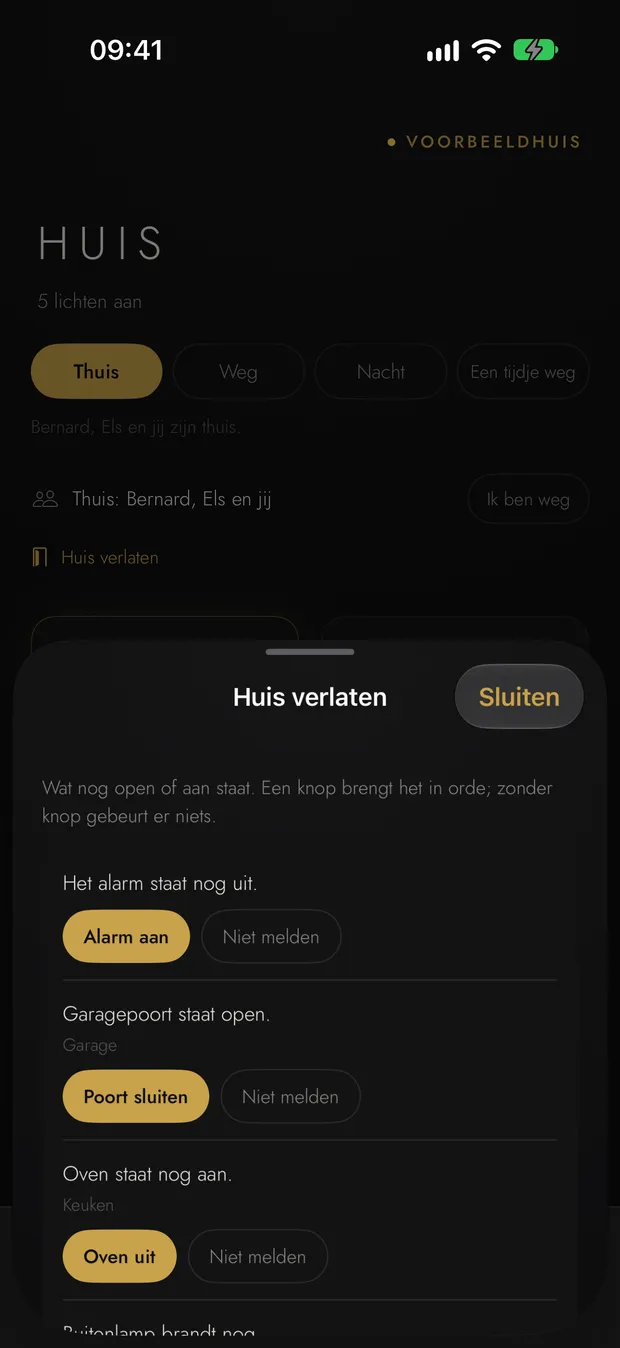
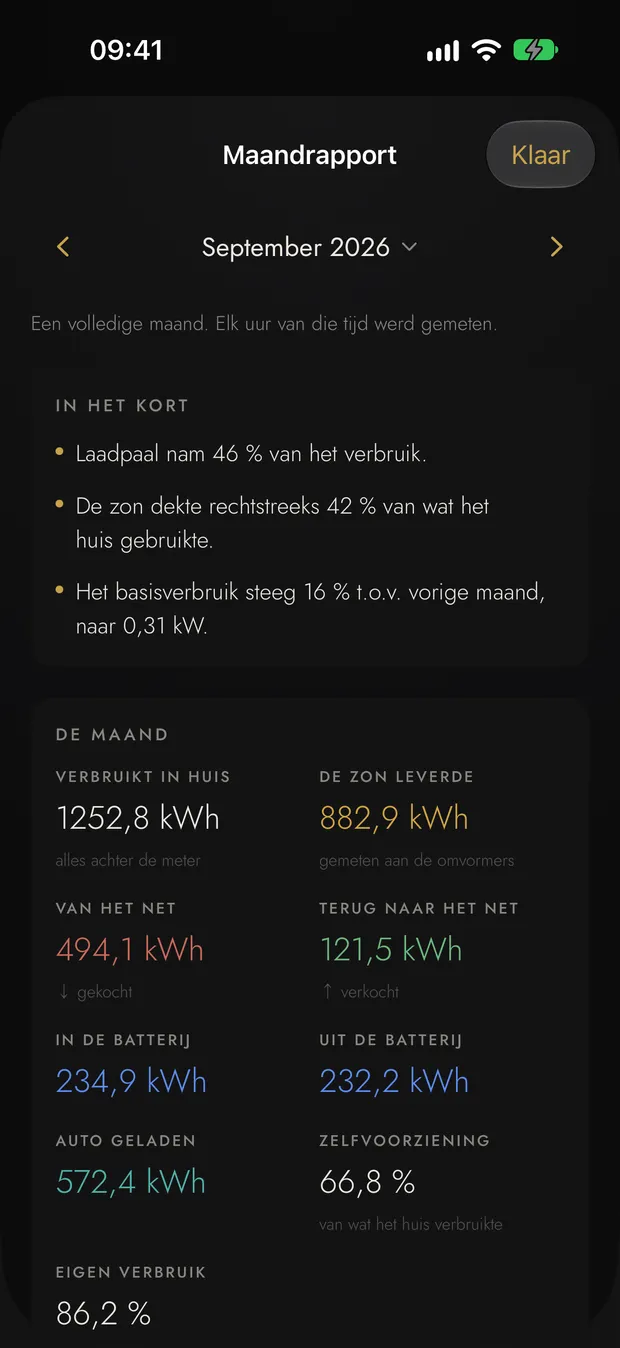
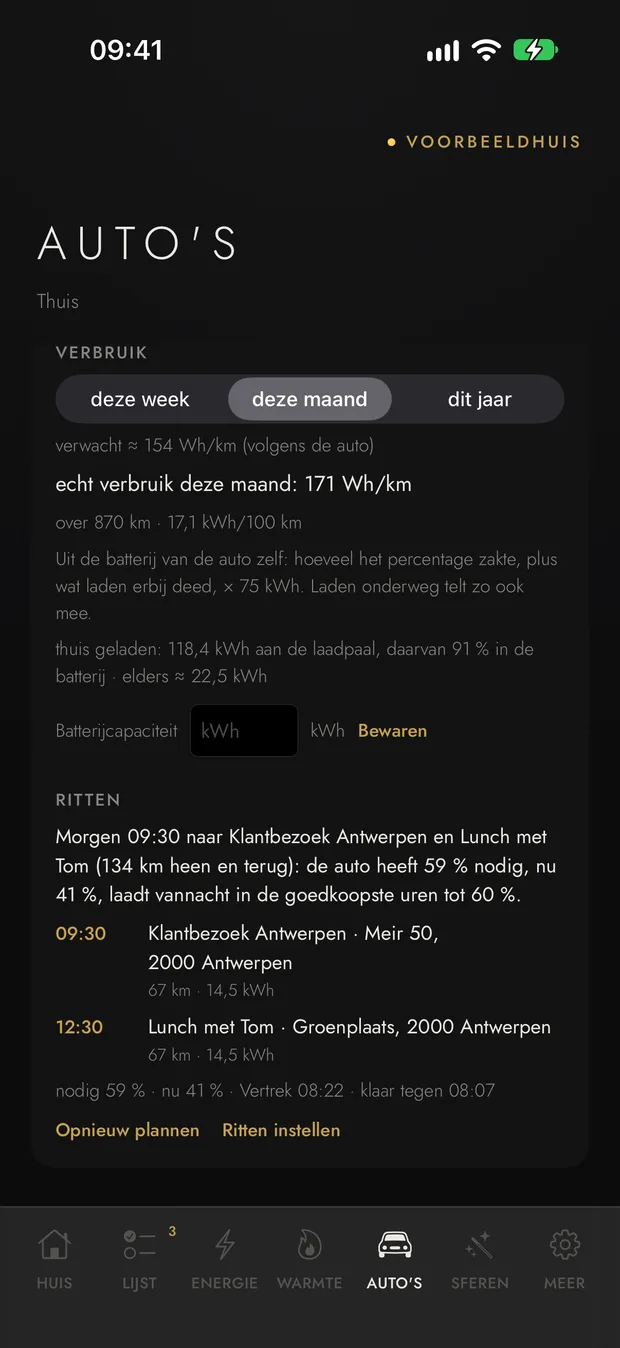
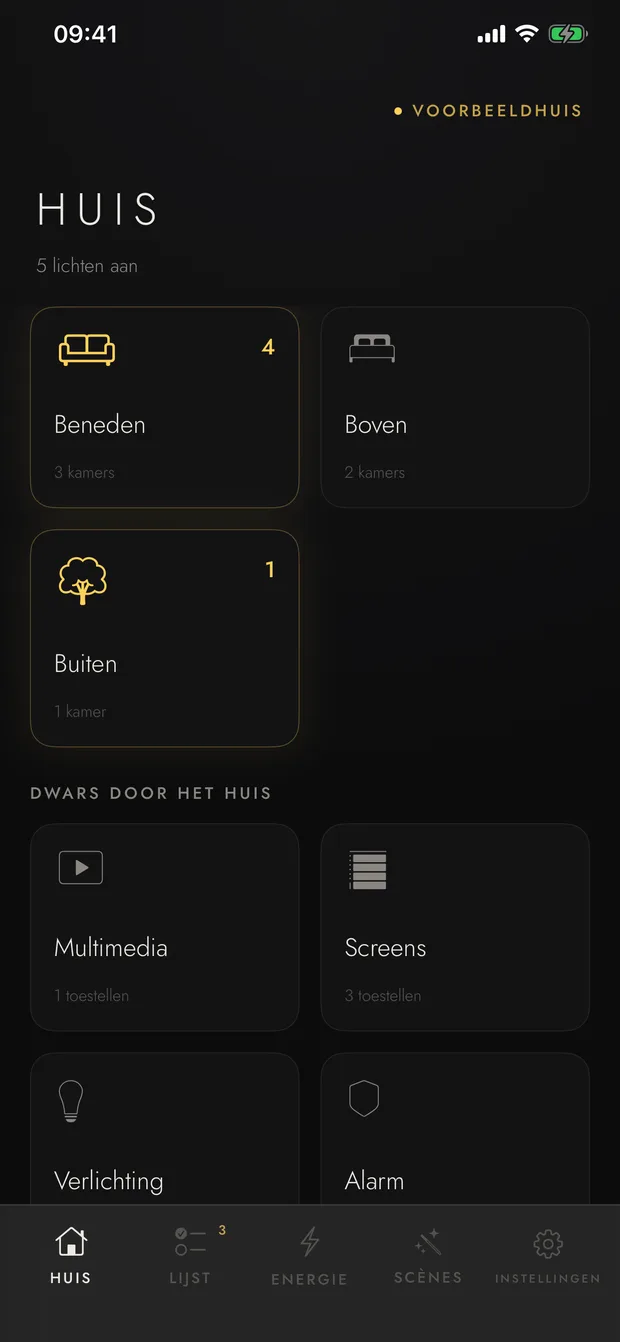
- 1/5 · HouseThe floors, who is home and how many lights are on.
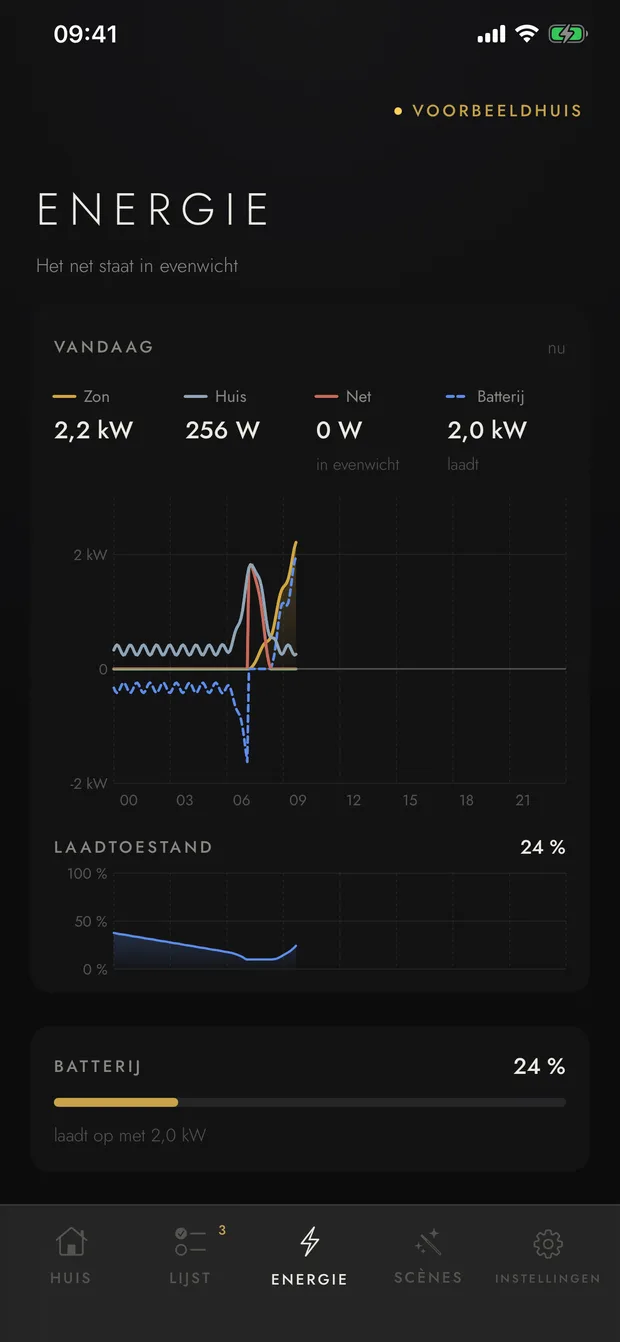
- 2/5 · EnergyToday's energy flow: from sun, grid and battery to every device.
- 3/5 · Leaving homeWhat is still open or on, with one button to sort it.
- 4/5 · Monthly reportA month at a glance: use, sun, grid, battery and the car.
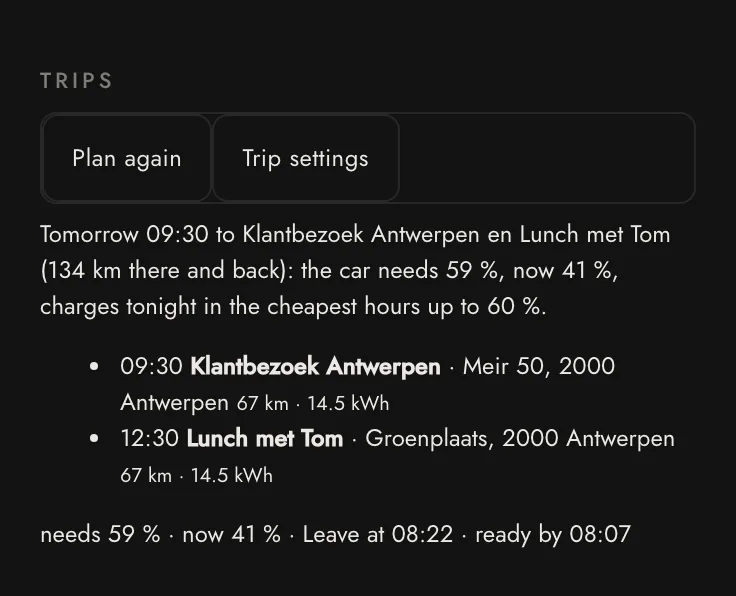
- 5/5 · CarsThe car's consumption, and tomorrow's trips with what it charges tonight.
Tonight the car charges exactly what tomorrow's calendar asks.
- Customer visitAntwerp
- Lunch with TomAntwerp
134 km there and back
29 kWh
0.18 kWh/km + 20 % margin
+14 kWh in the cheapest hours of the night
Ready by 08:07
Leave 08:22 · 60 % on board · 20 % reserve to spare
Lenou reads tomorrow's appointments, turns the kilometres into kWh and charges the car in the cheapest hours up to what is needed. If it will not make it, you hear so an hour before you leave.
Save without thinking
Energy per device in euro, a monthly report, the month's peak in sight and one tip a week with an amount.
Read moreA house that thinks along
Whoever leaves hears what is still open. Whoever comes home hears what is different. And a window open while the heating runs gets mentioned.
Read moreSafe, and yours
A link for the cleaner that opens only the front door, a sitter card for the neighbour and an encrypted backup outside the house.
Read moreFor installers
From an empty box to a working house with the New house wizard: one network scan, a proposal for the rooms, every step skippable.
Read moreOne app for everything
Your blinds, lights, heat pump, solar panels and charger each come from a different brand. Each has its own app.
Lenou brings them together. One app for the whole house.
What is already in your house keeps working.
What it talks to
Protocols and brands alike, because a house is made of both. This is what is in it today, split honestly into what works locally and what does not. Family by family, with what Lenou reads and controls, it is set out under Platforms.
Local — no internet, no manufacturer account
- KNX
- Modbus
- DALI
- MQTT
- Zigbee (through Zigbee2MQTT)
- Loxone
- Home Assistant
- Philips Hue
- Shelly
- HomeWizard
- SunSpec inverters (Huawei, SolarEdge, Fronius, GoodWe, SMA, Kostal)
- SMA inverters and SMA EV charger
- OCPP chargers (Alfen, Wallbox, Zaptec, Easee)
- Daikin air conditioners
- DoorBird
- 2N intercom
- Niko Access doorbell
- Nuki
- tedee
- Renson Healthbox
- Rain Bird
- ONVIF cameras
- UniFi Protect
- Aseko pool control
- BTHome sensors
- Sonos
- Apple TV
- LG televisions
- Google Cast
An account once, local thereafter
- Home Connect (Bosch, Siemens, Neff, Gaggenau)
- Somfy TaHoma
A key is fetched once during installation. After that the box talks straight to the appliance in your home and no longer needs the internet.
Through the brand's own cloud
- Miele
- Samsung SmartThings
- Mitsubishi Electric (MELCloud)
- Innova
- Hunter Hydrawise
- Spotify
- WHOOP (sleep and recovery, per person)
These brands offer no usable local route. Here an account with the manufacturer is needed, and without internet it does not work.
In progress
- Heat pumps over Modbus (Nibe, Viessmann, Vaillant)
- Smappee (Infinity, Genius, EV Wall)
- Matter
- EnOcean (USB stick, ESP3)
The heat pump profiles are in the code, but their register maps have not yet been checked on a running pump; until then they control nothing. A Lenou driver for Smappee is being built now, as is Lenou as a Matter controller; EnOcean is planned. What “in progress” means exactly is set out under Platforms.
Whatever can be local, stays local
Most of a house does not need the outside world. KNX, Modbus, DALI, Zigbee, Shelly and Philips Hue talk straight to the box in your meter cupboard — your lights, your blinds, your heating.
If the internet line drops, you will not notice it there. Your switches work, your wall screen works, and the app on your phone works too, as long as you are at home on your own Wi-Fi.
And where a brand insists on its own cloud
Then we say so plainly. Miele has no usable local API, neither does Hunter Hydrawise, and a Mitsubishi air conditioner with a Wi-Fi adapter can only be reached through MELCloud. If you have one of those, you hand that account to the box once.
After that you no longer see the difference. The Miele oven sits in the same room as the KNX lights, with the same tiles, in the same app. That is honestly why Lenou exists: it hides the difference between twenty systems, so you can think about rooms instead of protocols.
Whatever is in the house, this stays true: the app talks only to your own box, there is no Lenou account, and nothing comes to us. Exactly how that works is set out in the privacy policy.
Three ways to operate the house
A web app on the box itself, a wall screen — a TV or a tablet on the wall — and the Lenou app for iPhone and iPad. All three show the same house, because all three talk to the same box.
-
Rooms and devices -
Lights, blinds, heating -
Today's energy -
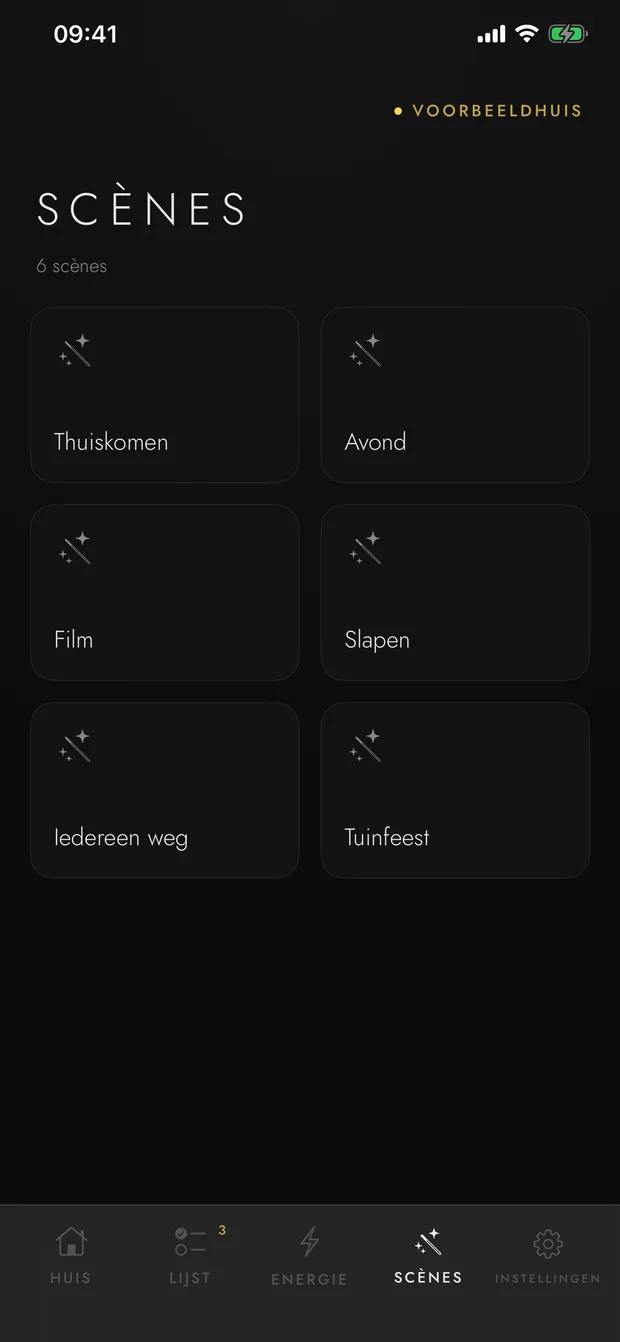
Scenes
What the app does
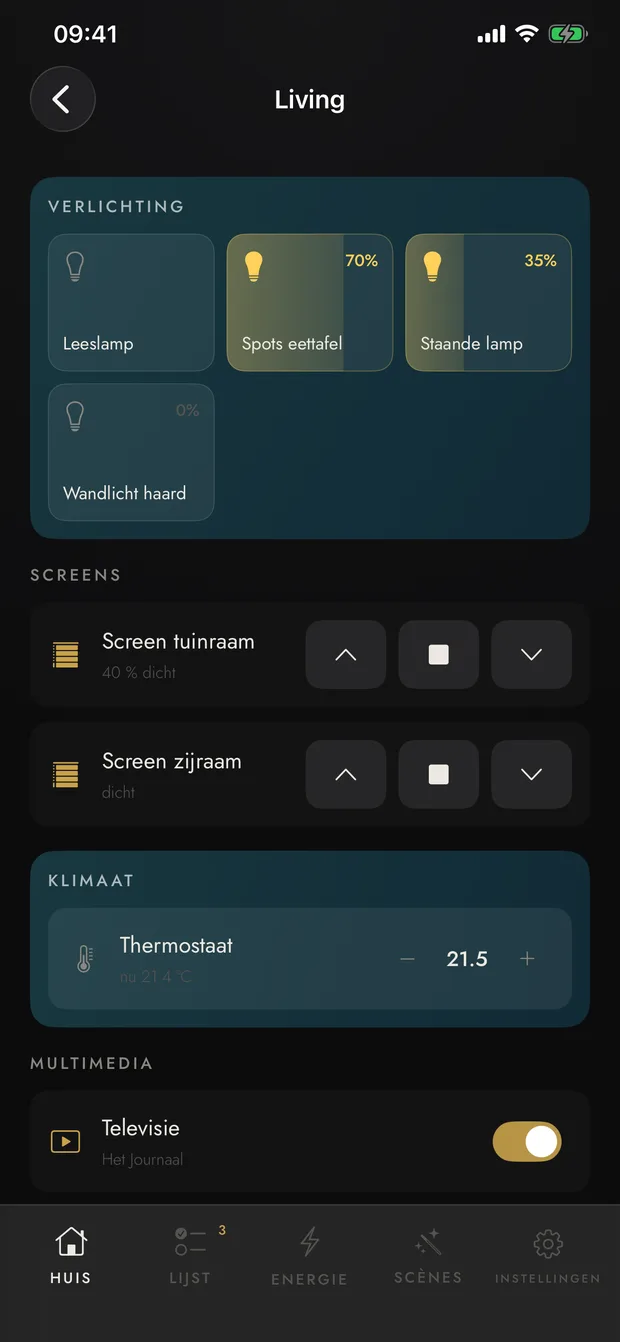
- Rooms and devices — lights, blinds, heating, sockets and sensors, all brands side by side.
- Scenes — one tap for evening, film, sleep or everyone out.
- A shared list — what still needs doing or picking up, for everyone in the house.
- Energy — sun, grid and battery, and consumption per device.
- Wall screen mode — full screen, for a tablet mounted on the wall.
- CarPlay — up to six buttons you choose yourself, such as gate, garage and driveway. The CarPlay entitlement has been requested from Apple and is still pending.
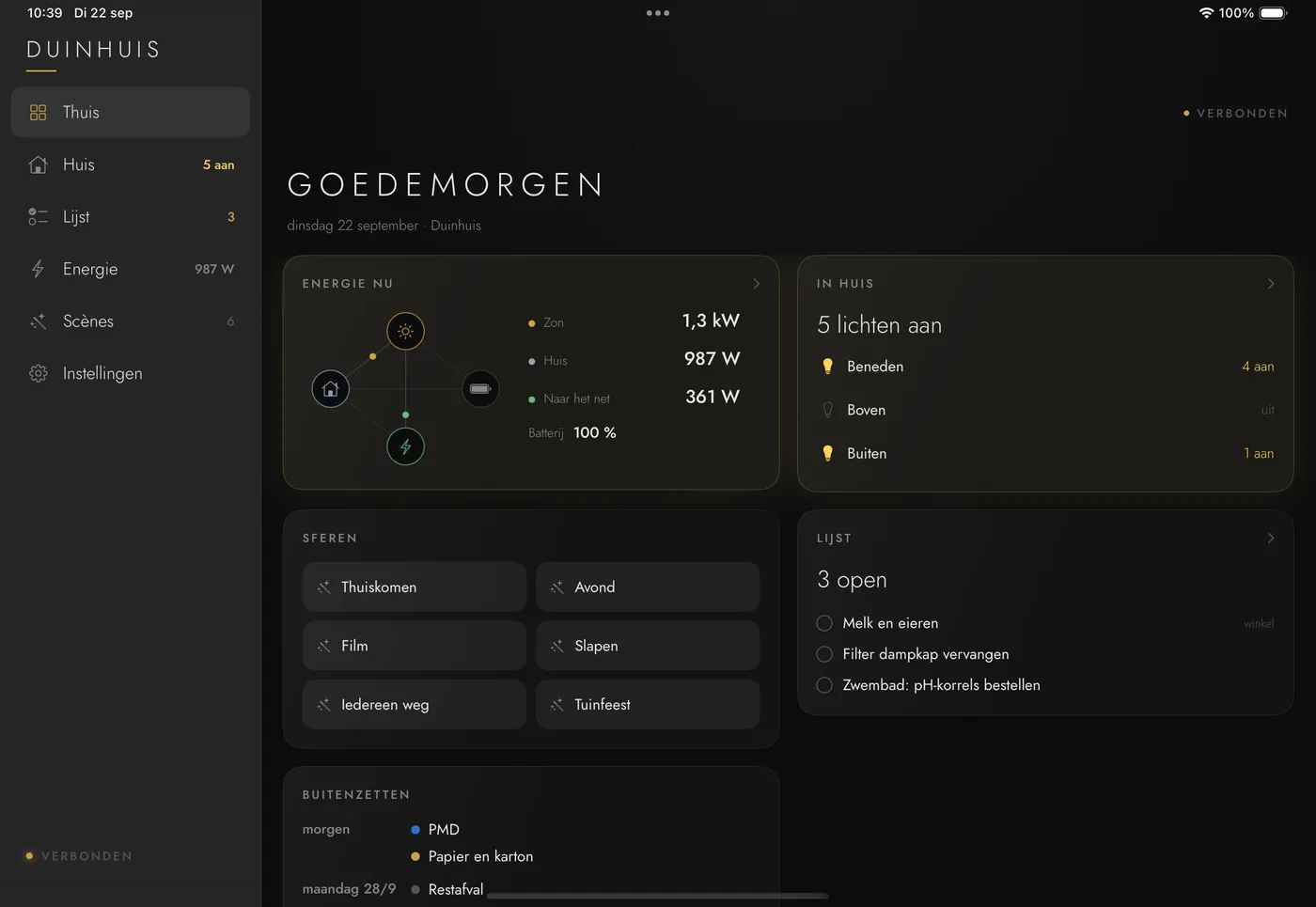
Care to look around?
The app carries an example home. No box needed, no sign-in: tap "See the example home" and you are standing in an invented house with rooms, lights, scenes and a full day of energy. Not a single network connection leaves the phone while you do.
Questions about the app or your installation go to info@lenou.be. The support page has the answers that come up most often.
This site sets no cookies, measures nothing and loads nothing from third parties.